
Costs and fills, not fantasy
Spread, commission and slippage are part of every run. Pro cost profiles let you re-run the same strategy under harsher assumptions.
BackTest Studio is a Windows desktop app for testing trading ideas on your own computer. It charges realistic costs, scans for look-ahead bias and shows how much of a good-looking result may be luck. It does not sell signals and it does not flatter your strategy.
Download for WindowsSee pricing
64-bit Windows 10 / 11 · Free Basic plan · no credit card
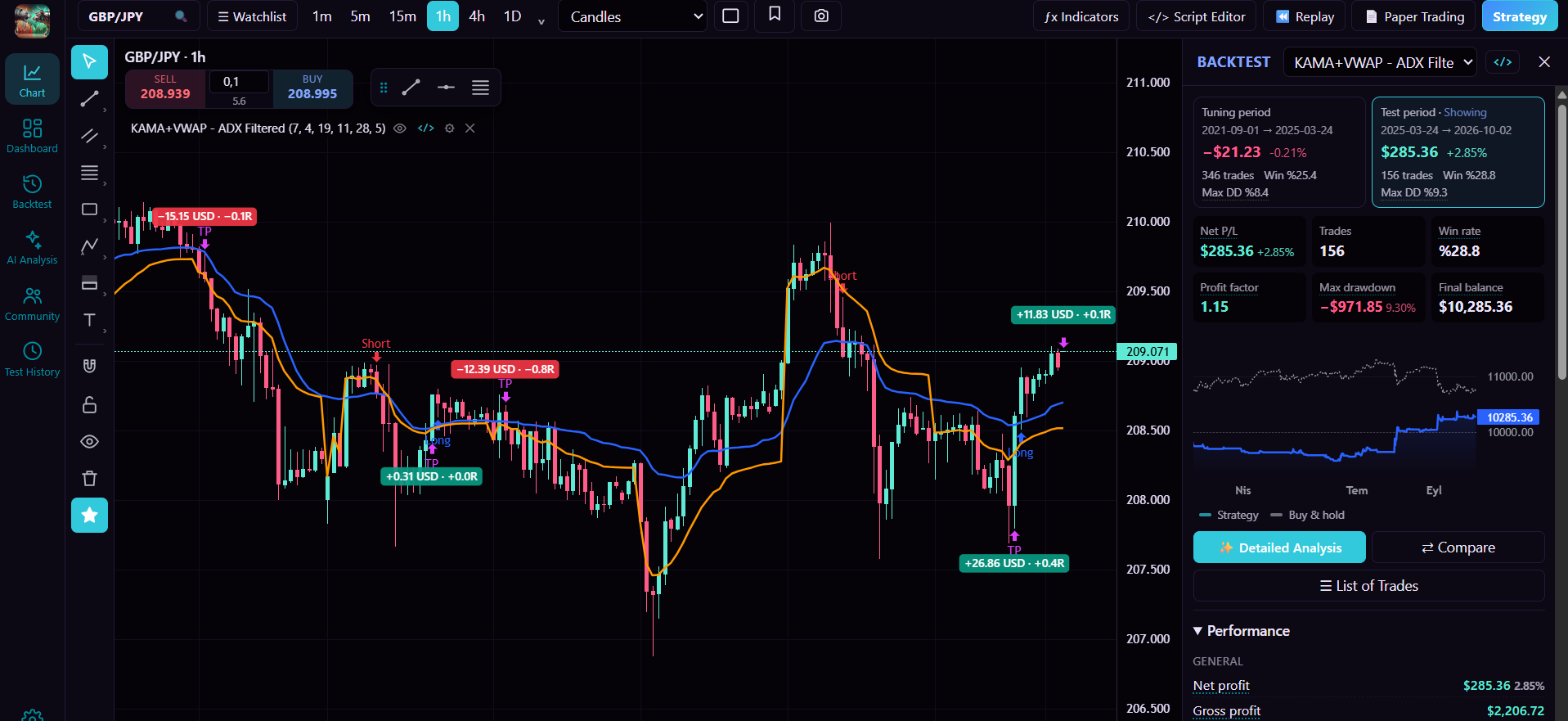
Real screens from the app. Click an image to open it full size.
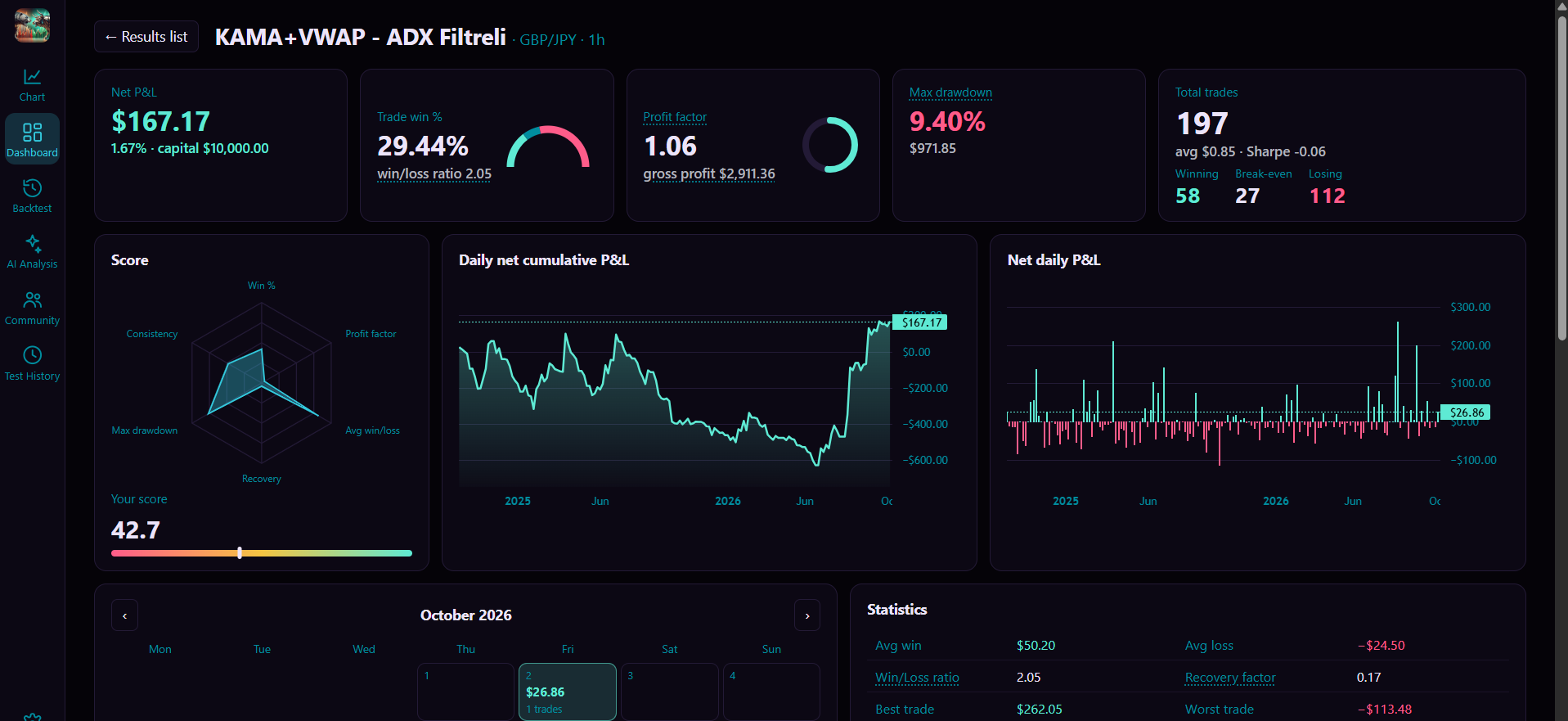
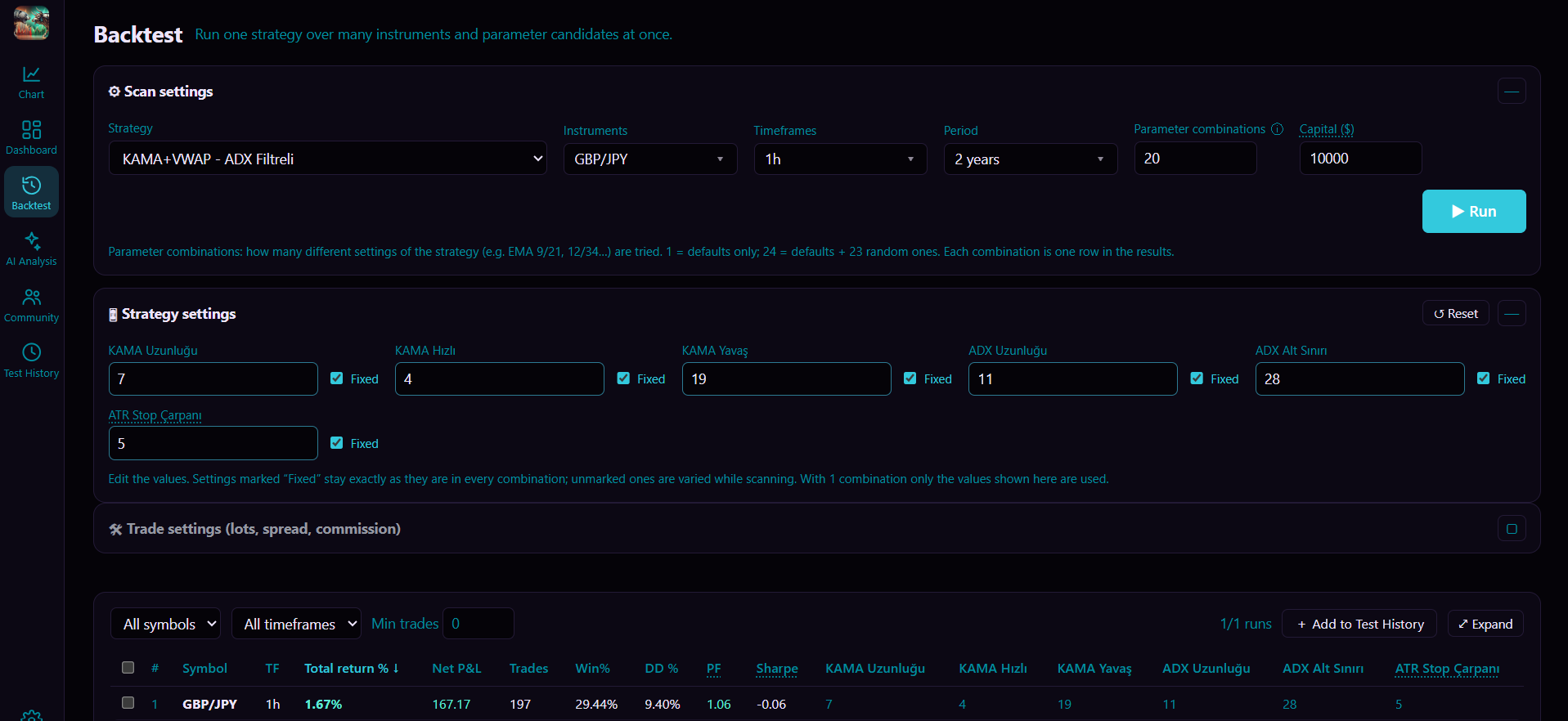
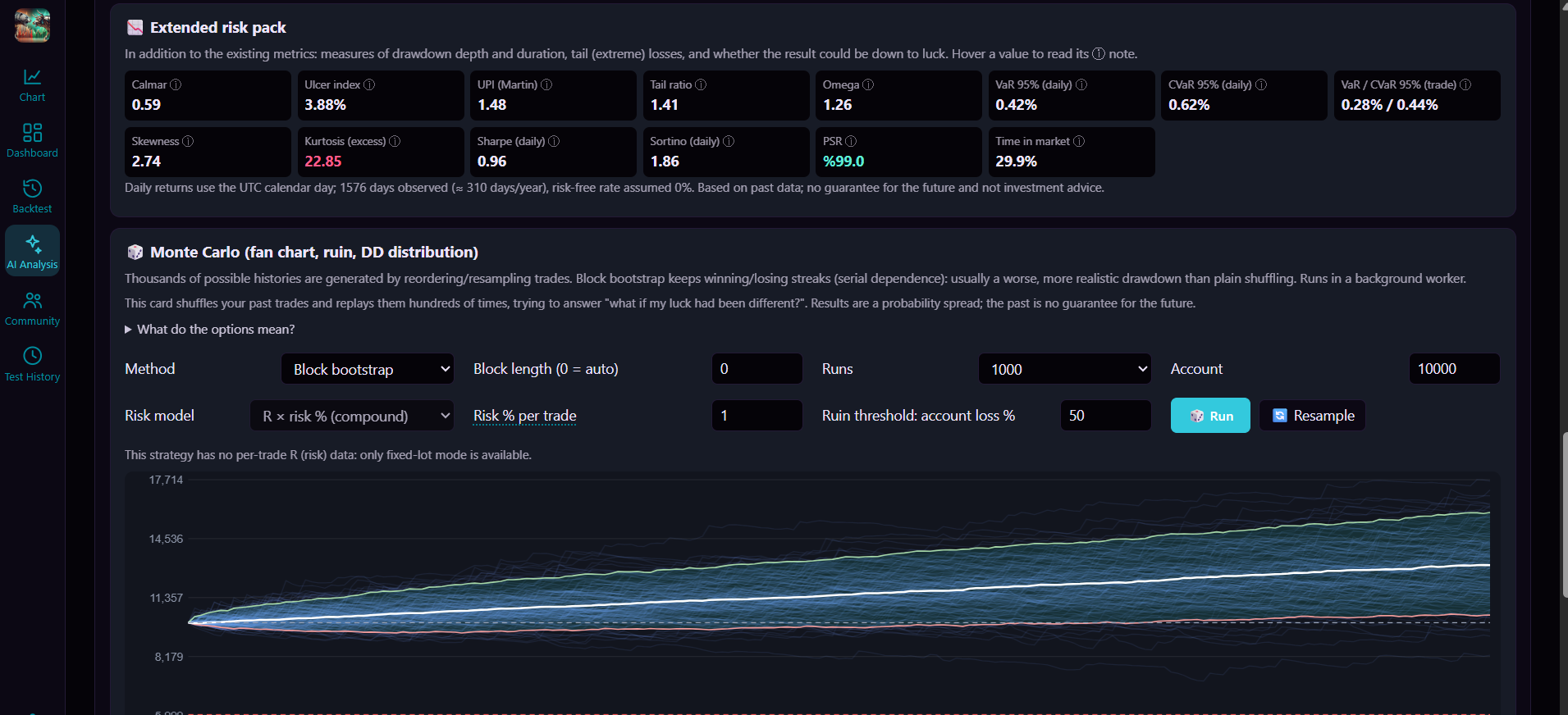
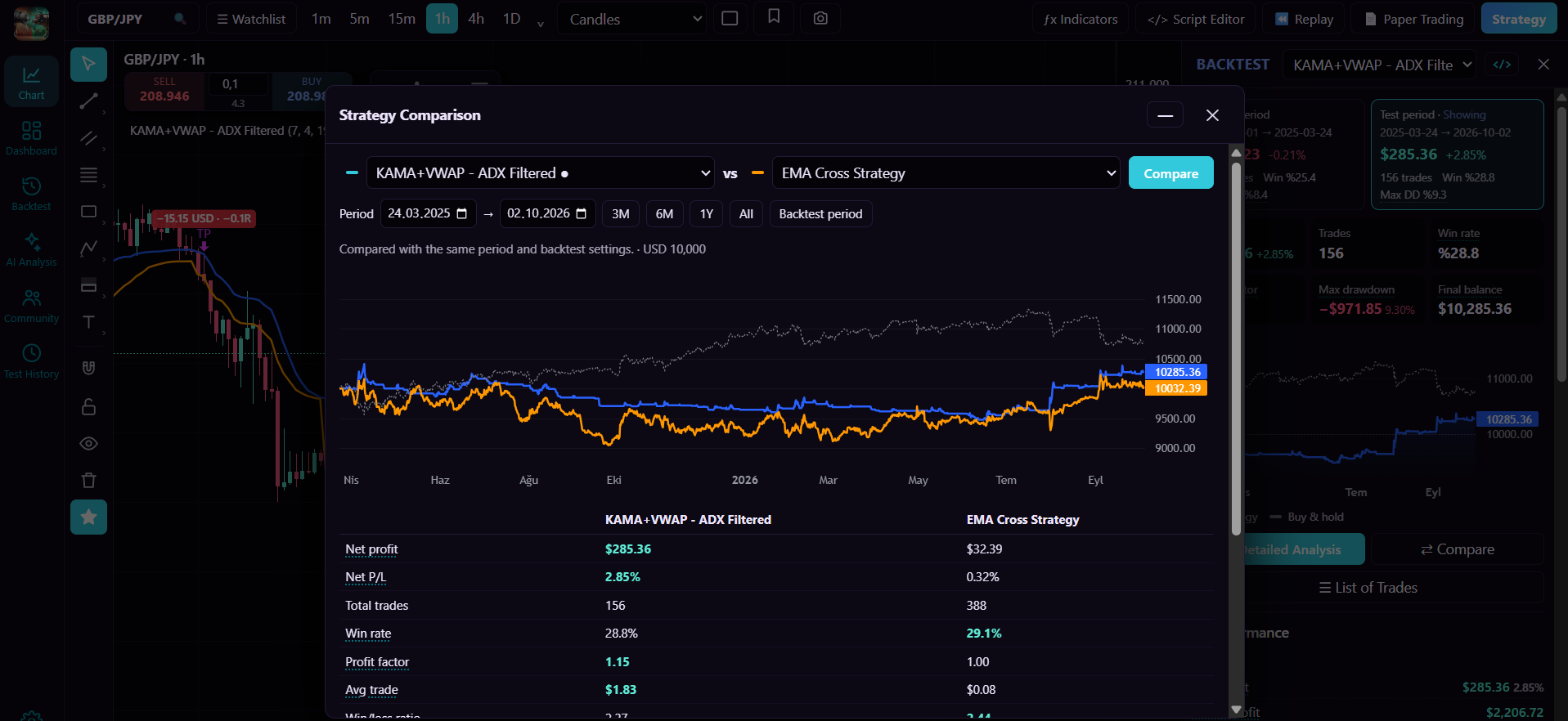
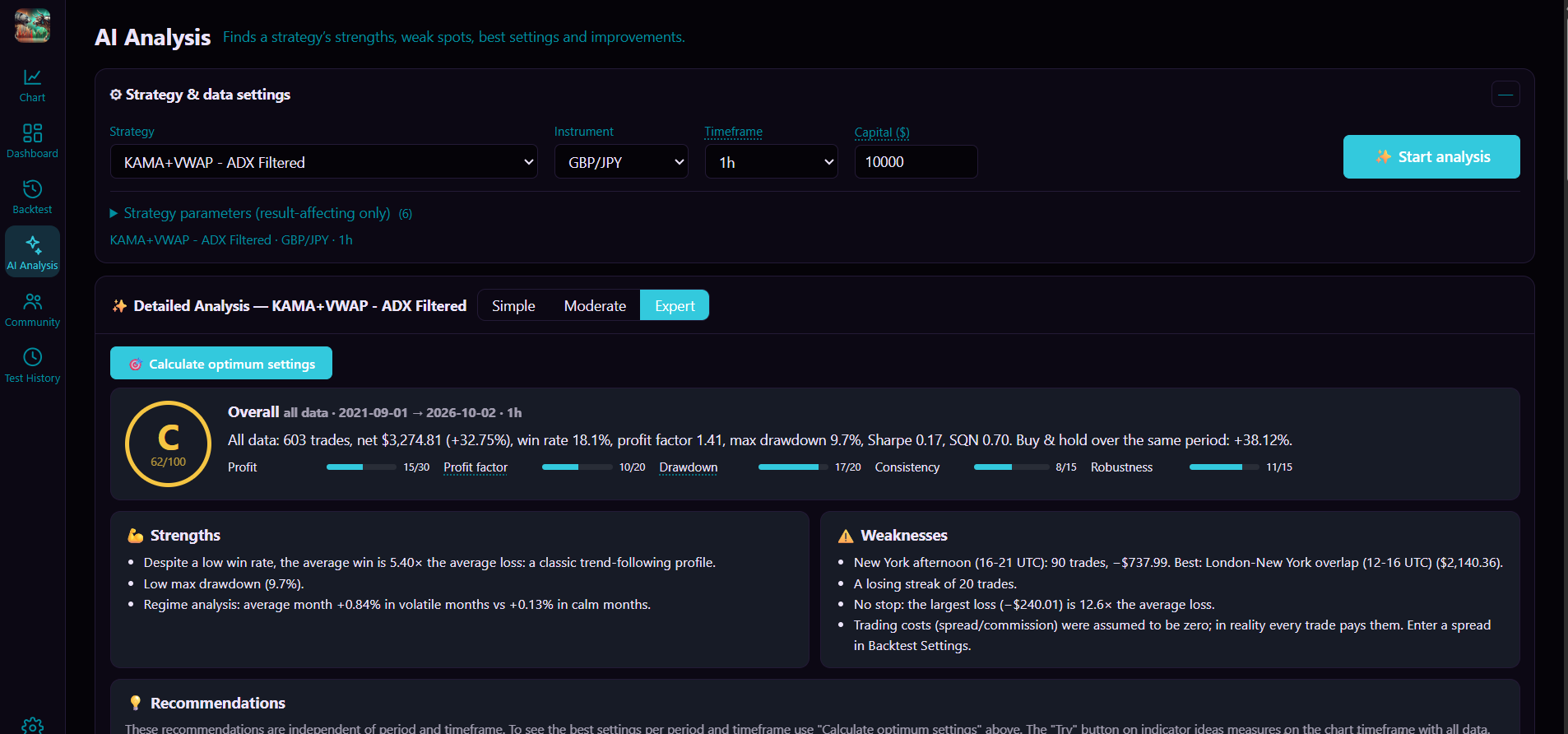
Illustrative examples: a sample strategy run on historical data. The sample strategy is not included in the package, and the figures shown are not a result you should expect. Past or simulated results do not guarantee future results.
Most backtests look better than reality. These are the checks that exist to find out why.
Spread, commission and slippage are part of every run. Pro cost profiles let you re-run the same strategy under harsher assumptions.
A built-in scan flags code patterns that peek at the future, one of the most common reasons a backtest looks too good. It is a scan, not proof: it can miss things, so treat it as a first filter.
Monte Carlo, parameter heat maps, multi-window walk-forward and the Deflated Sharpe / Probability of Backtest Overfitting checks show how fragile a result is. An experiment log counts every run you tried, so deleting history cannot flatter the numbers.
Strategies and price data stay on your machine. No usage analytics, no telemetry. An account is used to sign in and manage your plan.
Multi-chart layouts (up to 4), 245+ built-in indicators, 70+ drawing tools, and Renko, Kagi, Range and Line Break chart types.
Write indicators and strategies as Pine scripts or in Python. Code is checked and compiled inside the app.
Single backtests, parameter optimization across timeframes and periods, a test-period check and a plain score for every result.
Monte Carlo, parameter heat map and plateau score, multi-window walk-forward, Deflated Sharpe / PBO, experiment log, cost profiles.
Replay history bar by bar, keep watchlists and price alerts, and save chart layouts.
Send your results and code to Claude for a written review, using your own Anthropic API key. The key is stored only on your computer.
Run your strategy on historical data with spread, commission and slippage included.
Scan the code for look-ahead patterns and check the trade list for things that look too good.
Shuffle, perturb and re-window it. If it falls apart, you learn that before you risk money.
Start with the free Basic plan. Upgrade inside the app whenever you need more. Cancel anytime.
Free
$12 / month
$29 / month
Prices are in US dollars, billed monthly; taxes are calculated at checkout by our payment provider, Lemon Squeezy. Cancel anytime and keep access until the end of the paid period. First purchase: refund for the unused days within 14 days, see the refund policy.
How upgrading works: install the app, create your account, open Settings > Plans and pick a plan. After paying, activate it in the app with the e-mail address you used at checkout.
No. BackTest Studio is a research and education tool. It does not recommend instruments or trades, it is not a broker and it does not place real orders. Trading carries a high risk of loss; see the risk disclosure.
Charts, backtests and your saved data work without a connection once price data is downloaded. The app signs in with your account and refreshes its licence document online, and keeps working for up to one day without a connection.
On first run the app downloads historical data (forex, metals, indices and crypto pairs) from Dukascopy’s public data feed to your computer. We do not host or resell market data.
64-bit Windows 10 or 11 (32-bit Windows is not supported), and about 2 GB of free disk space for the starter data pack (more if you download full history).
The app checks for new versions in the background and shows an Update button when one is ready. Your data stays.
You can cancel at any time. For a first purchase you can ask for a refund within 14 days; the days you used are deducted and the rest is returned. Details are in the refund policy.
No. Your strategies and price data stay on your computer. The AI review is optional, uses your own API key and only sends what you choose to review.
64-bit Windows 10 / 11 · Free Basic plan · no credit card